Popular Posts

Wednesday, 7 May 2014

Samsung Galaxy Note 3 Neo


Those too lazy to open another browser tab, I’ll quickly run through the basics. The Note 3 Neo features signature plastic body and rounded corners we've been seeing on Samsung phones for years. Also present is the faux-chrome finish on the edges and fake leather on its back. Makes us wonder why can't Samsung use real materials for a phone that costs as much as Rs 38,000?


With a 5.5-inch screen, the Neo is slightly smaller compared to the original Note 3. That said, it’s too big for comfortable single-handed operation. Navigation buttons are a standard Samsung affair. There’s a tactile Home button, sandwiched between the capacitive Menu and Back key. This makes the existing GALAXY users feel at home. The Power / Lock button is on the left, so you can easily reach it with your thumb. The volume rocker is on the right, and the stylus slot is at the bottom.
Screen
Samsung uses quality screens in its premium phones, and the Note 3 Neo is no exception. What you get here is a 5.5-inch HD Super AMOLED screen. The display is vibrant — it makes the colour pop. The screen produces impressive levels of black. Although the pixel density of around 267 ppi sounds under- whelming, the screen looks quite sharp in reality. The display is bright too. The only let down here is the sunlight legibility.
Key Specifications
The Neo is powered by the Hexa-Core Exynos chip (1.7 GHz Dual Core Cortex A15 + 1.3 GHz Quad Core Cortex A7). The phones comes with an 8 megapixel camera with BSI sensor, 2 GB RAM, 16 GB internal storage, microSD card slot, and 3100 mAh Battery.
Software
If you were hoping to see Kitkat here, get ready for the disappointment. The Note 3 Neo ships with Android 4.3 Jelly Bean. Since the phone features Samsung TouchWiz customisation, the interface looks exactly like what you get on the Note 3. As many of you would already know, Samsung’s custom UI is too colourful and in-your-face.
Although garish, the interface is mostly utilitarian. Apart from pushing updates, the notification bar offers quick access to brightness slider, Wi-Fi, GPS, and Silent mode toggles. On the other hand, the Quick Settings menu is a complete mess. Check out the third image from left to find out what I'm on about.


Since the handset belongs to the Note series, it comes with a fancy S Pen (stylus). Clicking the S Pen button while hovering it over the screen triggers Air Command menu. This is a set of five features as given below:
Pen Window
Improving upon the multi-window feature, the Note 3 now allows you draw a custom size window for multitasking.

Scrap Booker
This feature enables users to organise content and information from various sources including the web and gallery, all in one place. For instance, you can crop and save portion of a webpage or gallery image in scrap booker for future reference.

Action Memo
An easy way to take notes, execute a function, or convert handwritten information into formatted content. Action Memo can initiate a call, add to contacts, look up an address on a map, and search the web.

Screen Write
This feature allows you to take screenshot, and add information onto the captured image.

S Finder
S Finder allows users to search for content on their device. Think of it as the Search feature on your Windows PC.


These features work as advertised, which is a good thing. However, would you really want to draw a window on the screen for multitasking? Or does it really make sense to use a stylus over natural finger gestures? Well, these features are good for show off, but not something that can get your work done.
Performance
As far as the menu navigation is concerned, the phone runs smooth. Most high-end games work well on this handset. The performance isn’t consistent though. It does stutter and lag once in a while. To gauge the phone’s performance, we ran popular synthetic benchmarks. The handset scored 31961 in AnTuTu test. In Quadrant, the Neo clocked in at 8074. To put things in perspective, here are the original Note 3’s scores — Antutu: 34,303; Quadrant: 20,281.
The GALAXY Note 3 Neo’s sound quality is excellent. The bundled earphones are goo too. Samsung has thrown in plenty of equaliser and sound enhancements to play around with. Moving onto video playback, the Neo handles most 1080p videos without any issue. If in case it fails to play a certain video format, you can grab a third-party video player from Play Store.
Camera
The Note 3 Neo sports an 8 MP camera with BSI (Back-Side Illuminated) sensor. Like most Samsung phones, the Neo lets you snap pictures while recording a video. This feature comes in quite handy.

You also get different camera modes including Dual Shot, Drama Shot, Cinema Shot, Sound & Shot, Eraser, Best Face, and Beauty Face. For more details on these fancy features, check out our Samsung GALAXY S4 review.


The Note 3 Neo produces images with plenty of details. The colours look natural, and noise is under control too. The only drawback is that it falters in low-light conditions. Moving onto video recording, the handset records 1080p videos at 30 fps. The video recorder does a good job at capturing detailed videos.
Overall, the 8 megapixel camera does great in well-lit conditions. However, there's plenty of room for improvement in the low-light mode.
Telephony And Messaging
The phone provides good network reception and voice quality. One weird thing I noticed about the phone is that it shows full network signal even if there's no SIM-card inside.

Battery
The Note 3 Neo packs in a 3100 mAh Li-Ion battery. With normal usage, it easily keeps the phone powered for two days. In our 720p video loop test with brightness set to 60%, it lasted for over 11 hours. That's impressive for an Android device with 5.5-inch screen.
Verdict
The Note 3 Neo (Rs 38,000) is a watered-down version of the original Note 3 (Rs 42,500). The Neo lacks the Note 3’s Full HD screen, 13 megapixel camera, and 3 GB RAM. If you like large screen phones with stylus, it makes sense to stretch your budget by 4.5k and purchase the Note 3. On the other hand, if you’re looking for a powerful handset, the GALAXY S5 is a much better deal for Rs 28,000. Long story short, there’s no point in buying the Note 3 Neo for its current price of 38,000.
Features: 4.5/5
Design And Build Quality: 3/5
Performance: 4/5
Value For Money: 2.5/5
Mojo: 3.5/5

Overall Rating: 3/5
- See more at: http://www.techtree.com/content/reviews/5896/review-samsung-galaxy-note-3-neo.html#sthash.2FPfhRLX.dpuf

Samsung Galaxy Tab 3 Neo


Samsung had kicked off 2014 in style by showcasing the new range of Galaxy Note and Tab Pro tablet series at the CES 2014 in Las Vegas. Today, at the Samsung Southwest Asia Forum 2014, they have announced a couple of additions to their tablet lineup. The tablets that are announced in India are the Samsung Galaxy Tab 3 Neo and Samsung Galaxy Note Pro 12.2.
Samsung Galaxy Tab 3 Lite
Samsung Galaxy Tab 3 Neo is a typical mid-range budget tablet that packs entry level tablet specifications into a Samsung packaged tablet. It also has a 3G variant. The specifications don’t appeal much especially when you consider the price and you can check out the much needed spec sheet right below.
  • 7-inch (1024×600) TFT capacitive touch screen display
  • 1.2 GHz dual-core processor
  • Android 4.2 (Jelly Bean)
  • 2MP rear camera
  • 9.7mm thick and weighs 310g (Wi-Fi)
  • 1GB RAM, 8 GB internal memory and microSD card slot up to 32GB
  • 3G HSPA+ (Optional),WiFi b/g/n (2.4GHz), WiFi Direct, Bluetooth 4.0 and GPS +  GLONASS
  • 3,600 mAh battery.
It has Samsung Link, Samsung Voice and comes pre-loaded with Samsung ChatON, Dropbox, Polaris Office and Flipboard apps. Apart from the usual set of software, Samsung is also bundling the Samsung Galaxy Tab 3 Neo with Club Samsung package that gives the user access to over a 5000 movie title, 4 Lakh songs and access to live channels.
The Samsung Galaxy Tab 3 Neo is priced at Rs. 16,490 and would go on sale in India sometime in Q1 2014.

NOKIA X

The Nokia X is one of the Finns' first ever smartphones to run Android and yet it may not be the Android phone you've been looking for. Perhaps you've been looking in the wrong place? Nokia will certainly like you to think so. To be honest though - never mind the Normandy codename - this is obviously not the D-day in smartphones.
The Nokia X was not made to compete with the best out there. It is the exact opposite of a flagship - low-cost hardware delivering reasonable performance at a bargain price. No Google services but Nokia's and Microsoft's instead. No Google Play Store but plenty of Android apps in the Nokia and other stores. No Android level of customization but a blend of Lumia and Asha simplicity. It's Android like you never seen it before. Intrigued?
Nokia X Nokia X Nokia X Nokia X Nokia X
Nokia X official pictures
The operating system is built on the Android Open Source Project, which in turn is been based on 4.1 Jelly Bean, but looks nothing like. On the inside and outside, this is more like Asha with a Windows Phone twist. Fastlane meets resizable tiles - a simple to use combo, user friendly and light on the hardware.

Key features

  • Quad-band GSM, GPRS, EDGE
  • Dual-band 3G with HSPA
  • Optional dual-SIM support, dual standby
  • Nokia X software platform 1.0, based on the Android Open Source Project
  • 4" IPS LCD WVGA capacitive touchscreen, ~233 ppi
  • 1.0 GHz dual-core Cortex-A5 processor, Adreno 203 GPU, Qualcomm MSM8225 Snapdragon S4 Play chipset
  • 512MB RAM
  • Proximity sensor, accelerometer, display auto-rotation
  • 4GB internal storage (1.2GB available to the user)
  • Nokia HERE maps with free lifetime voice-guided navigation and offline maps support
  • Data-efficient Nokia Xpress browser
  • Nokia MixRadio
  • Nokia Glance screen, double-tap-to-unlock
  • 3.15 MP camera, FWVGA video recording @30fps
  • microSD card support (up to 32 GB)
  • Wi-Fi b/g/n connectivity
  • FM radio
  • Bluetooth v3.0
  • Standard microUSB port, charging
  • 1500 mAh Li-Ion battery

Main disadvantages

  • No Google services (Play, Gmail, Maps, Calendar, Drive), you can't even sync contacts
  • Fixed-focus camera
  • No front camera
  • Budget-grade hardware may result in system bottlenecks
  • No smart dialing
  • No document reader
The absence of Google services is surely a deal-breaker for those hoping to get the pure Android experience on a Nokia phone. Of course, the Nokia and Microsoft's alternatives are there: HERE Maps and Navigation (instead of Google Maps), OneDrive (instead of Google Drive), Nokia Mail (instead of Gmail), Nokia Store (instead of Google Play). Ultimately, you won't be able to sync your Google Contacts and Calendar but Nokia pushing its own agenda is hardly a surprise.
The Nokia X has a simple objective: keep cheap droids at bay. But not Samsung's, LG's or Sony's cheap droids - it's the countless - nameless - dirt-cheap Android-powered smartphones Nokia worries about. They're a real threat to their Asha lineup in developing markets and entry-level Lumias elsewhere.
Nokia X Nokia X Nokia X Nokia X
Nokia X at ours
With the X-line, the Finns are sticking a competitively-priced smartphone in your hands, and save you the embarrassing disputes about how smart the Ashas really are. And hey, the Nokia X and its siblings have to be cheap not only because they compete with the cheapest of droids. It's because the Lumia line needs to feel like an upgrade - which is the ultimate goal.

MOTO X

Introduction and Design
The Moto X is a hugely aspirational product for Motorola, nee Google. Before its acquisition, Motorola had worked itself into an odd place in the US market. The handset maker primarily worked for Verizon as an ODM for the Droid lineup, and sold phones internationally in China and Europe. With the Moto X, Google is attempting to re-launch Motorola, a product which it views as the canonical first device under Google guidance.
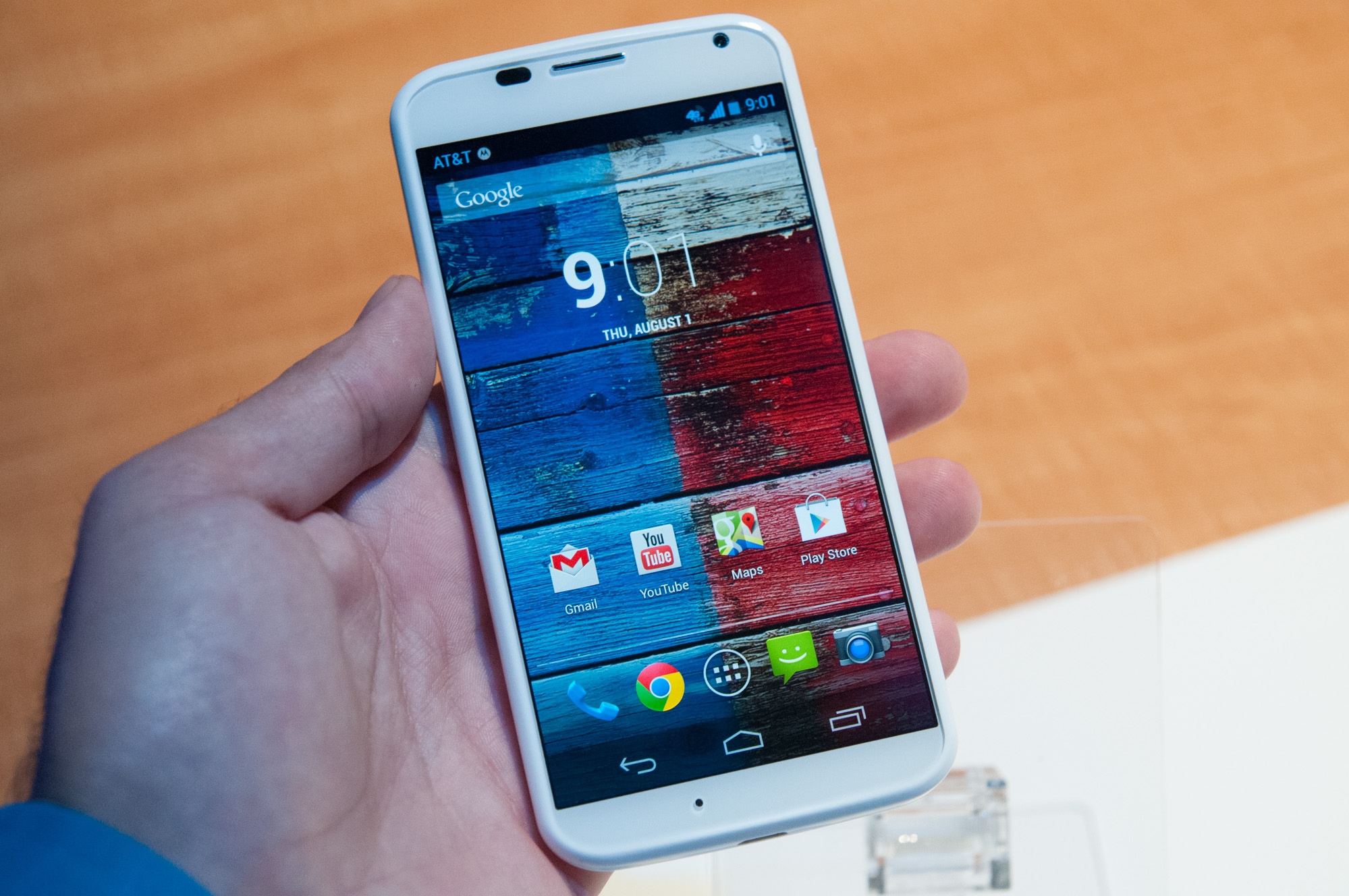
The hardware itself is definitely not aligned with the industry trend of having larger and larger devices. Motorola says it conducted a large user study to find out what the optimal size for a smartphone was, and feels strongly that it’s found it. The study involved having a large number of users hold different sizes and shapes and give feedback – a primarily data driven approach whose end result is the Moto X profile. That’s topped with a 4.7-inch display and an edge bezel Motorola claims is thinner than all the competition thanks to a new unique glass-plastic fusion. The glass is fused into the plastic at the edge and rounds off nicely.
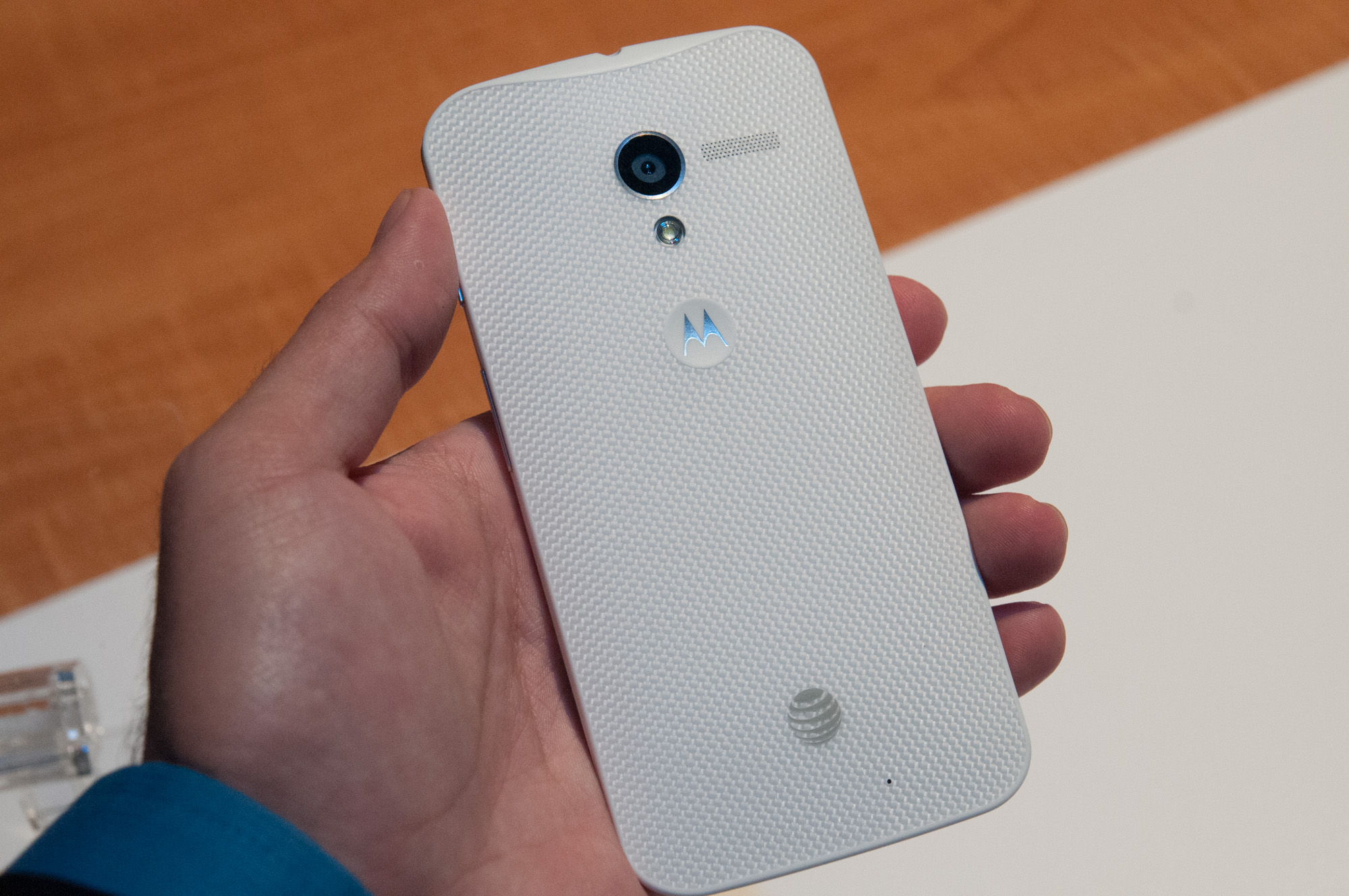
The rounded back shape of the Moto X is probably its most unique feature. Instead of a spherical or cylindrical back side, the Moto X has a more complicated conical one, which starts thicker at top and tapers to a point at bottom, with a rounded side to side profile. The closest thing is HTC’s rounded designs with the 8X or One, and interestingly enough Motorola also does a similar thing with a 2200 mAh (8.36 Whr) battery whose shape fills the available rounded profile with a two-cell stacked design, with a large thin cell and smaller cell stacked on top like a stair step. The profile is awesome, in photos of the Moto X it doesn’t really come through, you have to actually hold one to feel just how much it sits in the hand. The front side is also free of sharp edges, making it feel great when held against the head.
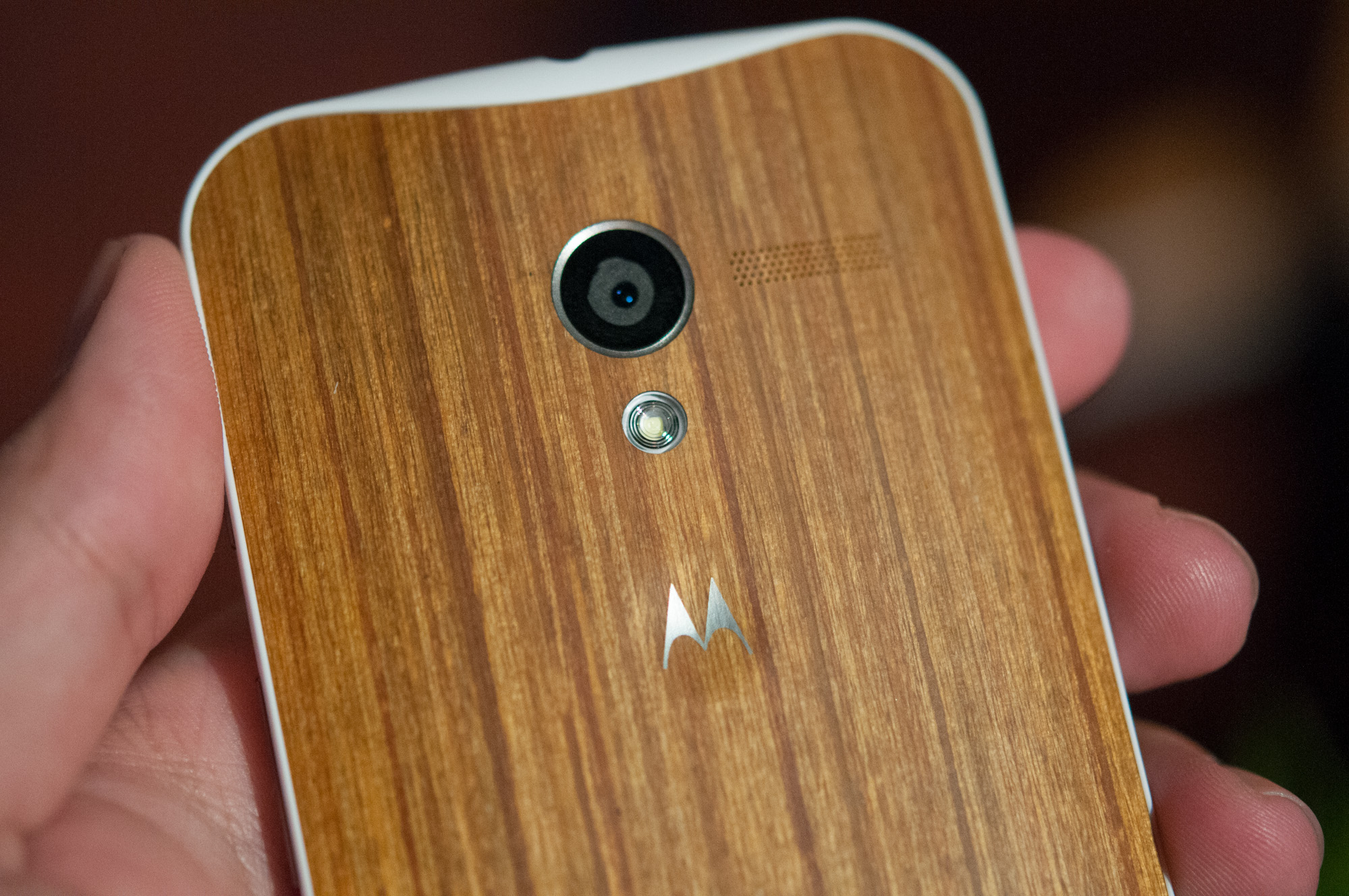
There’s an indentation on the back for the Motorola logo, but other than that the back surface is one unbroken curved shape. Up top is the 10 MP camera, below that, LED flash, off to the right, speakerphone grille. In the thickest part up top is the earphone jack.
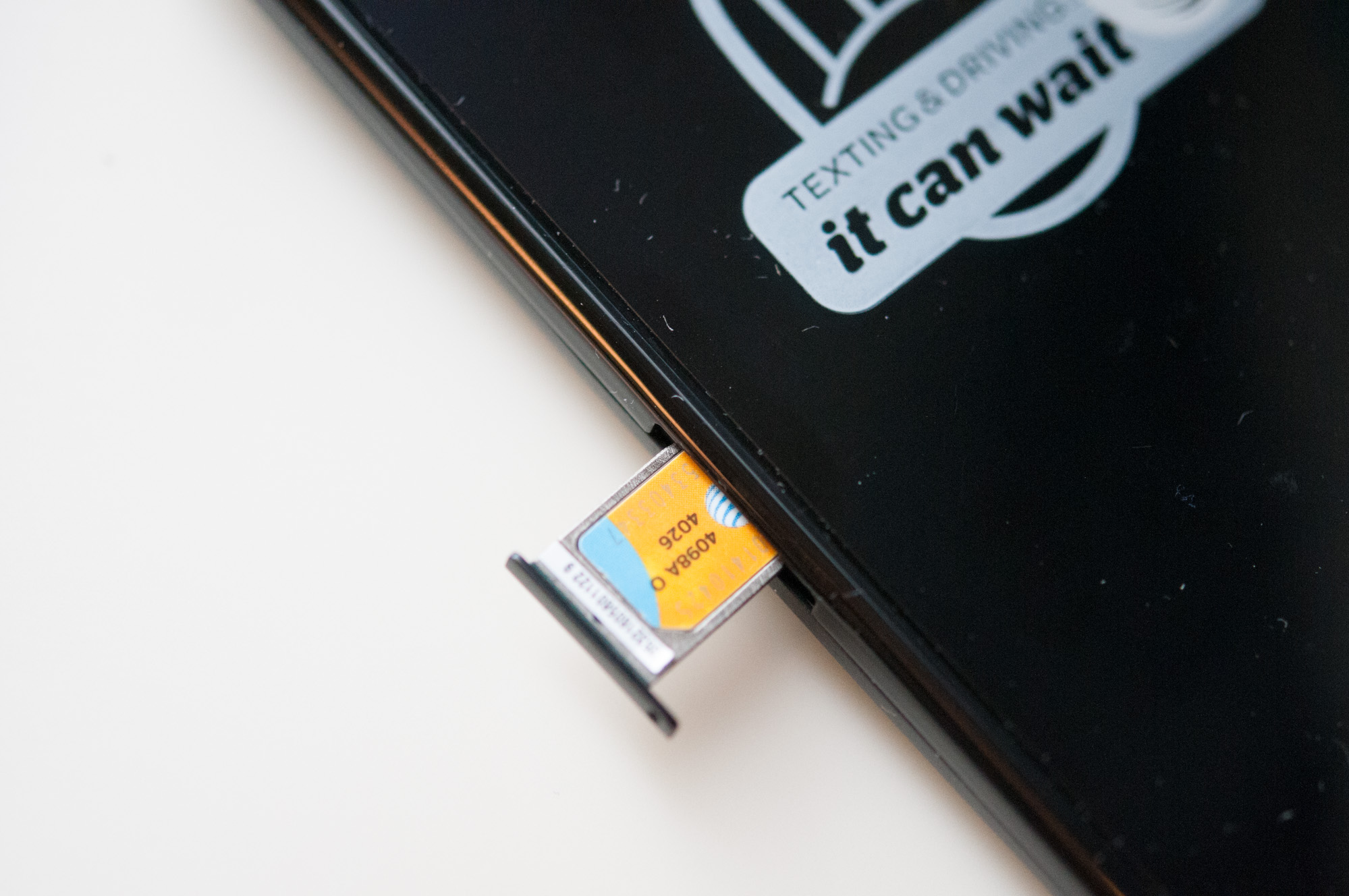
One interesting choice on the Moto X is positioning the volume rocker on the right side, below the power/lock button. On the left side is a nanoSIM tray, making Moto X the first device I’m aware of other than the iPhone 5 to use the 4FF nanoSIM format. At bottom is microUSB.
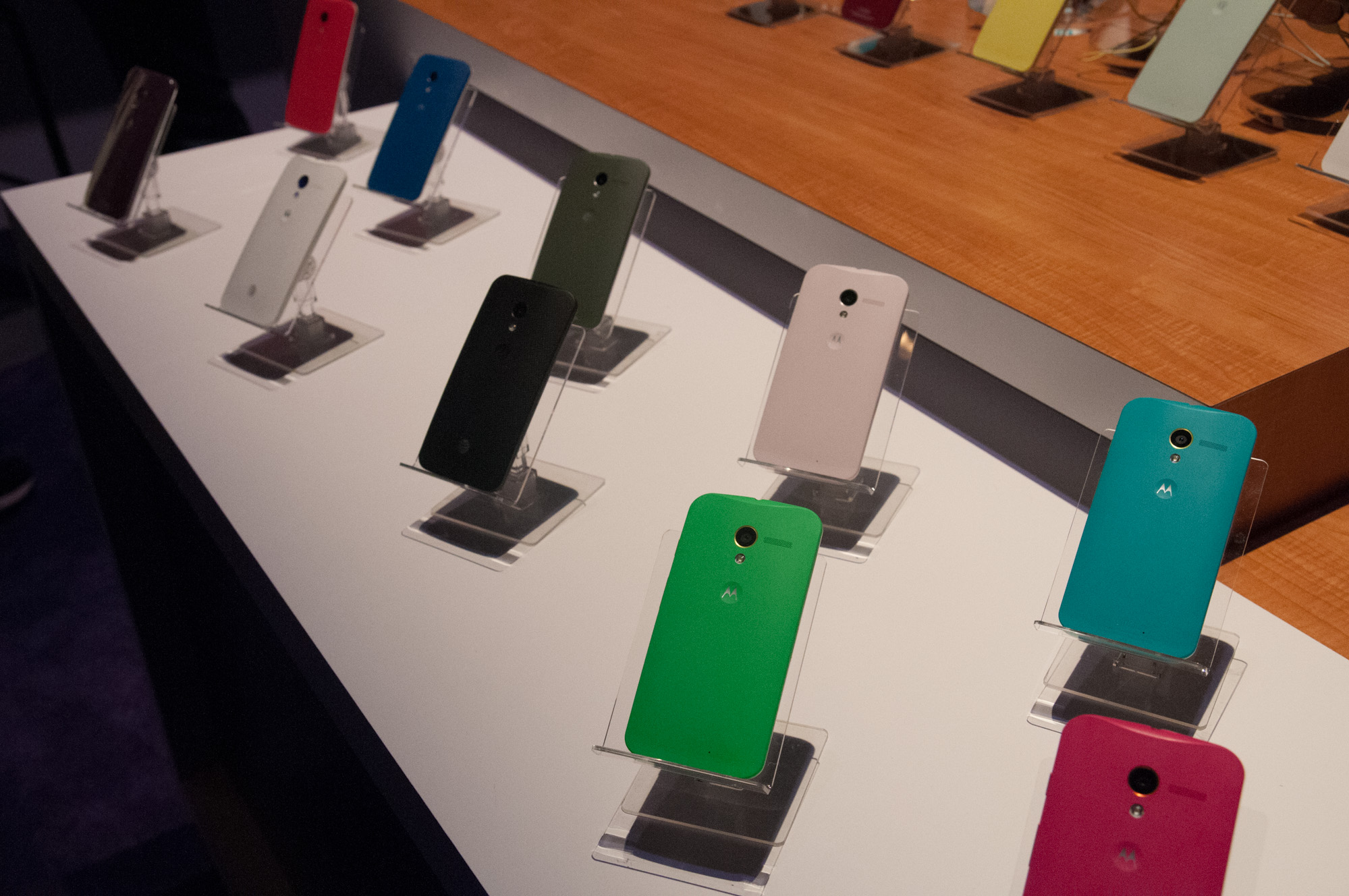
The back side of the Moto X isn’t user replaceable – the Moto X backside is sealed and the device is fused together. The front and edge is either black or white, but Motorola has a ton of customization options for the back and accent color. There’s a bit more to the customization story than that, and though I had hoped for easy interchangeable back options, what colors your Moto X comes are a function of both how you order and what operator you’re on.
 Moto X
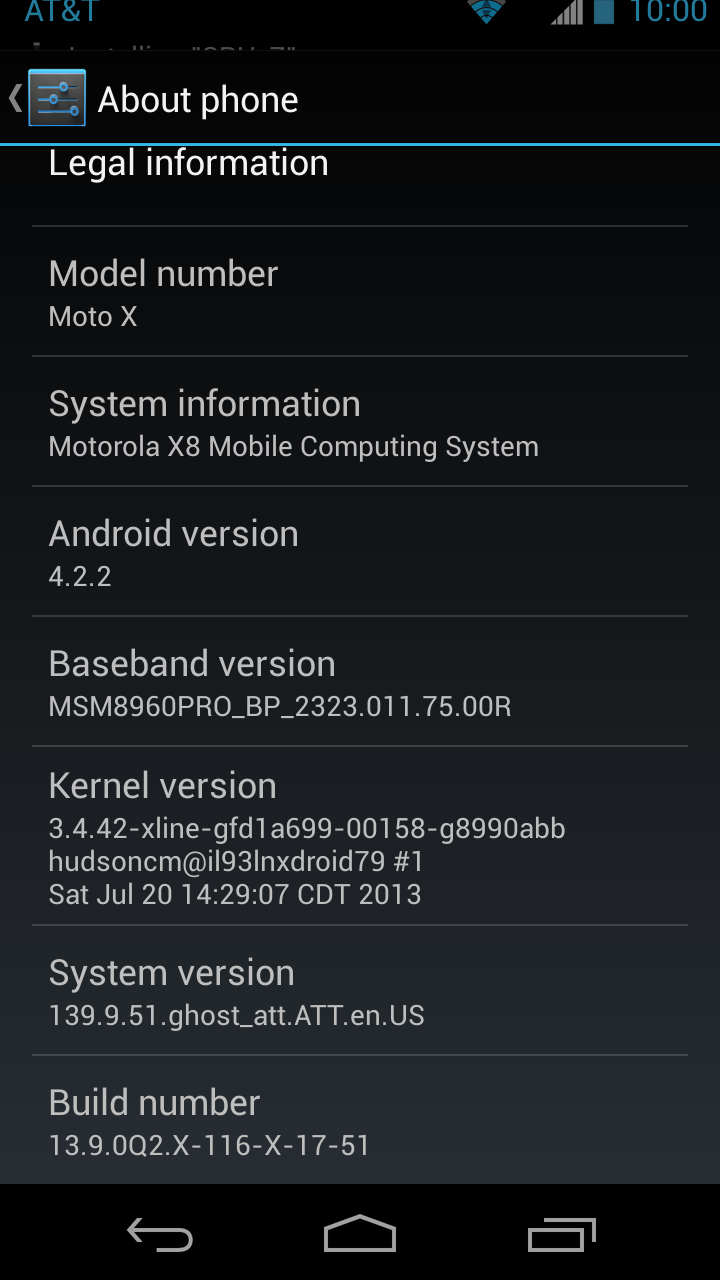
SoCQualcomm Snapdragon S4 Pro (MSM8960Pro) 1.7 GHz
Motorola X8 System (SoC+NLP Processor+Contextual Processor)
Display4.7-inch AMOLED (RGB) 1280x720
RAM2GB LPDDR2
WiFi802.11a/b/g/n/ac, BT 4.0
Storage16 GB standard, 32 GB online, 2 years 50 GB Google Drive
I/OmicroUSB 2.0, 3.5mm headphone, NFC, Miracast
OSAndroid 4.2.2
Battery2200 mAh, 3.8V, 8.36 Whr
Size / Mass65.3 x 129.3 x 5.6-10.4 mm, 130 grams
Camera10 MP Clear Pixel (RGBC) with 1.4µm pixels Rear Facing
2 MP 1080p Front Facing
Price$199 (16 GB), $249 (32 GB) on 2 year contract
At launch, Motorola will enable users to buy their Moto X and customize using an online tool called Moto Maker which features a step by step customization process for building a phone. Back, front, accent color, and signature are options.
The order then gets shipped off to Motorola where they build to order each phone in Forth Worth, Texas with a 4-day lead time. Now comes the bad news – those customization options are AT&T exclusive and limited to the US at launch. More operators will come later in the year, but initially all the customization options are exclusive to AT&T, other operators get black or white.
The default black and white colors for every wireless operator is in fact a composite material, the other colors are polymer. The last of the hardware story is wood. Motorola is going to make four wood back options available – teak, bamboo, rosewood, and ebony, but not at launch. Motorola is still finalizing its wood. That might sound funny, but from an RF perspective wood does have some interesting challenges – wood looks like a polymer since it essentially is, however it has to be dried and sealed properly so water won’t severely attenuate cellular RF and all the other radios on the back. I’m told Motorola is still testing and certifying its wood options. The upside is that each wood back will be different, with unique grain and finish. Wood seems to be trendy in design circles right now, and I’m excited about it, I just wish it was available at launch instead of some undetermined time afterwards. It does look great though.
We’ll talk a lot more about the hardware and feel in our full review. For now the takeaway is that Moto X is an incredibly pocketable device with some great in-hand presence. I wished for more after-purchase customization, however Motorola needs to seal the device to accommodate that unique stacked battery structure.
Motorola will make the Moto X available at the end of August in the USA on all 5 major wireless network operators with the 16 GB storage option available for $199 on two year contract. AT&T gets an exclusive on the 32 GB option for $249. That’s not quite the price point that I was hoping for given the tier you’d expect with the specs, but I suppose USA-based assembly might have something to do with it. I couldn’t get any word on noncommit/out of contract pricing, but it’ll probably be around the $500 mark typical given the subsidy. Motorola will have a version of the Moto X on Google Play network unlocked as well, at some future date, and a developer edition on Motorola as well for what I would suspect is a bootloader unlock (Motorola has sold developer editions of their phones before this way).

Hardware

Let’s talk about the hardware inside.
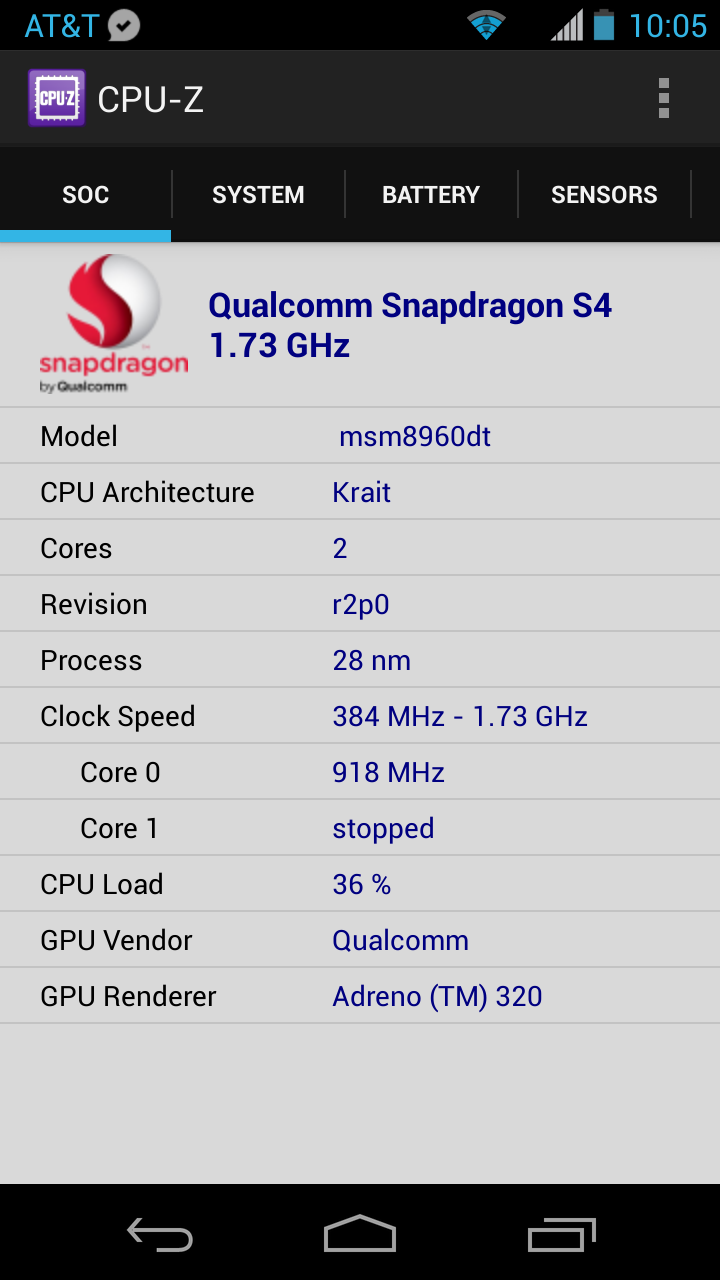
Inside the Moto X is a computing system that Motorola has branded the X8 Mobile Computing system with 8 “cores.” Motorola was careful to make the distinction that X8 is not a system on chip, for that there’s a 1.7 GHz Qualcomm Snapdragon S4 Pro (MSM8960Pro) with dual core Krait 300 CPUs and Adreno 320 graphics. Motorola counts the 2 CPU cores, 4 Adreno 320 GPU cores (yes, there are 4 cores in Adreno 320, which Motorola made public), and then adds two more to the fray – a NLP (Natural Language Processing) core, and Contextual Computing core. These add up to a total of 8 “cores” for those keeping count. I’m putting cores in quotes here since it’s meaningless to count heterogeneous, completely different cores like they’re something you can sum up and say more of means better. Nevertheless, Motorola makes the case that the X8 is an octacore system.
 

The 8960Pro silicon is very well understood at this point. We’ve played with 8960 in a bunch of other phones, the Pro suffix connotes the move to Krait 300 instead of 200, and Adreno 320 GPU instead of Adreno 225. The SoC is still built on TSMC’s 28nm LP process, it’s just a newer respun version with higher clocks (1.7 GHz vs 1.5 GHz) and updated CPU and GPU blocks.

Camera Features
On the camera side Motorola has made the unique choice of shipping the first phone I’m aware of with an RG,BC color filter array. The clear pixel trades off some spatial resolution for increased sensitivity in low light by switching from Bayer’s 2x2 RG,BG unit cell to an alternative 2x2 unit cell with RG,CB. Given the 10 MP size and 16:9 aspect ratio, and Motorola’s traditional use of an OmniVision CMOS sensor, I expected an OV10810 with different color filter array (CFA) on top. This appears to be the case with Moto X as I find references to an OV10820 inside which one would logically conclude is basically just that, instead of Bayer it must have the 25% C CFA. I have taken some sample pictures already but haven’t had much time at all to really put the Moto X through its paces on the camera side to see if there are any color artifacts from the different array. I’m excited however to have a platform with 1.4µm pixels instead of 1.1µm pixels, a big sensor (1/2.5"), F/2.4, 10 MP pixel count, with something new and different (clear pixels).

Tuesday, 6 May 2014

Samsung Galaxy S5

Samsung Galaxy S5 design: Suited and booted

In recent years it’s been Samsung’s Note family that’s led the charge for the its newest design direction, but the Galaxy S5 breaks that trend, offering something a little different to its phablet sibling.
The ridged chrome band around the handset’s edge certainly feels reminiscent of the Galaxy Note 3, but flip the phone over and you’re presented with a pitted soft-touch back. It might not look as attractive as the smooth, polished Galaxy S4 but feels infinitely more comfortable in the hand and it’s just as distinctive.
S5_1S5_2
The corners of the phone and the camera surround are heavily squared, and overall the Galaxy S5 looks more serious, more grown-up. It appears better suited to the boardroom than the beach, but that’s not to say it isn’t equipped to venture out into the wilderness. Far from it.
Last year’s Samsung Galaxy S4 Active hinted at a future of tough, powerful smartphones and with the S5, we have Samsung’s first flagship phone to incorporate proofing of the water and dust variety. The concealed microUSB port and the seal on the inside of the phone’s removable back highlight its IP67 certification, which Samsung states will let you dunk the Galaxy S5 in up to 3-feet of water, for up to 30 minutes.
S5_3
At the same time, the Samsung Galaxy S5’s new toughened design hasn’t impacted on its overall form. It doesn’t look or feel like a tough phone in the same way the Active did. It’s still nice and thin at 8.1mm and for its size, is surprisingly lightweight at 145 grams. Aside from the reversal of the headphone jack and IR blaster on the phone’s top, the layout of hardware controls remains unchanged from the Galaxy S4.
The capacitive key to the left of the home button performs a variety of tasks, which takes a little getting used to, but proves its worth as most Android apps integrate an on-screen settings button anyway. Best of all, the Galaxy S5's innocuous home button now conceals a fingerprint scanner, akin to the HTC One Max, but better.
S5_4
Although it certainly felt convenient swiping a finger down the scanner instead of typing in a code or a pattern, it was a hit-and-miss experience that left a smeary trail of frustration at the base of the Galaxy S5’s display from time to time. When it works, it works really well, but occasionally it simply locked up or refused to read our prints.
As an interesting side note (which we’re yet to try out), this is also the first smartphone fingerprint sensor boasting PayPal certification, adding a convenient new way to pay for goods and services online.

Samsung Galaxy S5 screen: Popping eye-candy

Nowadays most flagships opt for LCD panels, but the Galaxy S5 continues Samsung’s Super AMOLED love affair and we’re glad it has. The 5.1-inch Full HD panel is colourful, really colourful. In some instances the crystalline rainbow wallpaper and punchy iconography made our eyes water a little, but that’s OK, we liked it.
S5_screen
If anything this is an indication that the screen doesn’t reproduce colours accurately, but the Adapt Display feature which you’ll find in the Settings menu actually ensures that the colour temperature and contrast remain balanced on a case by case basis; whether that’s watching movies, browsing web pages or reading an eBook.
It’s easily the best AMOLED-laden smartphone right now and one of the best displays in the business, perhaps alongside the Triluminos LCD of its launch rival, the Sony Xperia Z2.

Samsung Galaxy S5 OS: Clean but crammed

The TouchWiz interface that you’ll find on the Galaxy S5 is a far departure from revisions of the UI found on older Sammys. It shares its predecessors’ focus on customisation for aspects like the lock screen, apps drawer and notifications panel, but the design team has managed to make it cleaner, tidier and faster to navigate, while at the same time packing it with more features.
First time around you’ll most likely accidentally stumble across My Magazine, which much like HTC’s BlinkFeed is accessible with a swipe right from your main home screen. Also similarly to BlinkFeed, My Magazine is a customisable story aggregator that, by default, offers up information on topics like business, politics and sports.
s1s2s3
Dive into its settings menu and you’ll be able to add a few more predefined feeds on subjects like entertainment and art as well as the option to integrate your own social feeds, including Facebook, YouTube and more. It’s simple, informative and serves as a stripped down alternative to the likes of Flipboard.
Even the more familiar aspects of the interface have been reworked, with redrawn, flatter, more colourful icons in the apps drawer and settings menu. There are also a number of new widgets such as GeoNews, which keeps tabs on areas of potential danger, based on your phone’s location. It’s an unusual inclusion that some might appreciate, particularly if you’re worried about flooding, hurricanes or rioting in your vicinity, but hopefully these occurances are few and far between.
A huge focus of the Galaxy S5 is personal fitness. The phone launched alongside the Gear Fit smart watch at MWC, but it also works as a strong standalone activity tracker, with the new S Health 3.0 app at its core.
s4s5s6
Once you’ve input your height, weight, age and gender into the S Health app, you can then use it track your exercise sessions, general activity and food intake with the app’s logging capabilities.
There’s a pedometer mode that can count your steps and it can track your runs, cycles, hikes or walks too. Look on the back of the S5 and you’ll find not just an LED flash for the camera, but a heart rate monitor too, which works whilst using S Health when you place your finger over the reader. Excessive? Unnecessary? Perhaps, but it could be implemented in interesting new ways going forward, so we're not taking it at face value.

Samsung Galaxy S5 performance: Booster mode

Although last year’s Galaxy S4 was a powerful beast, we did see the occasional stutter and even some serious slow-down when loading apps or zipping around the OS. The main offender seemed to be Samsung’s TouchWiz interface, which was so bogged down with gesture features and other junk running in the background that the Snapdragon 600 processor struggled to keep up.
S5_X
Thankfully the meaty Snapdragon 801 packed away inside the Galaxy S5 performs admirably. It’s the first handset we’ve reviewed with this powerful new processor, and in combination with the streamlined new TouchWiz UI, the smartphone experience is smooth and extremely satisfying. You can whizz through the home screens and menus with aplomb, and the latest games run with nary a sniff of difficulty.
Unfortunately we did see some glitching in the Galaxy S5, with the phone locking up entirely on a couple of occasions. We’re hoping that these issues are limited to our pre-production review model, same as the fingerprint scanner wonkiness, and that the full retail models will function 100% perfectly.
S5_5
Samsung has sped up the Galaxy S5 in other ways too, such as its clever and helpful Download Booster mode. Downloading enormous apps and media files can take an age over Wi-Fi and even 4G, so you now have the option to combine both technologies and use them simultaneously to suck down a mega-file. As long as you’ve got a decent 4G data contract, Download Booster is a well-implemented feature that you should definitely turn on.
Battery life is another highlight, matching the day-and-a-half we experienced with the Galaxy S3. We had a limited time to play with the Galaxy S5, but we were hammering the screen, processor and camera app all day, and still had a good chunk of life left before we slipped on our jammies and got tucked up with teddy.
S5_heart monitor offS5_heart monitor on
Samsung has also introduced the dramatically titled ‘Ultra Power Saver Mode’ if you’re stuck miles from home with almost no charge left. This mode turns off a ton of features, kills your apps and limits you to a single black-and-white desktop with just a handful of basic features (although you can still browse the web at least). This greatly extends standby time, although we still noticed the battery life drop when we were using the handset.

Samsung Galaxy S5 camera: 4K wonder

Samsung has upgraded the Galaxy S5’s camera to 16-megapixels, compared with the Galaxy S4’s 13-megapixel snapper, but we didn’t notice (or particularly expect) a huge leap in picture quality. The Galaxy S5 still produces crisp, detailed photos with realistic colours, in almost all lighting conditions. Evening and low-light shots are a little less noisy now, but they still don’t hold a candle to Sony’s Xperia handsets; which are the best at snapping bright, sharp photos in gloomy conditions.

All camera samples can be viewed at full resolution here.
cam1cam2
Where the Galaxy S5 really shines is its uber-fast shutter speed, which is almost a match for the iPhone 5s. As long as you aren’t shaking the smartphone about, you’ll find the auto-focus locks onto your subject and the shutter fires in 0.3-seconds or less, a pleasing result of that Snapdragon 801 chip.
cam3cam4
We’re also happier with Samsung’s fresh new approach to camera features. The Galaxy S4 suffered from a heavy features menu, bogged down with all kinds of tools and tricks that you had to scroll right through to find the one you wanted. The Galaxy S5, by comparison, has just a handful of selectable modes.
S5_cam UI
Motion-based tools such as Drama and Eraser mode have now been consolidated into a single, user-friendly feature called ‘Shot And More’. It’s a much tidier approach - just shoot what you want and then select what you want to do afterwards. This is particularly useful with the likes of Eraser mode, as you don’t necessarily know you’ll need to remove photo bombers before you take a shot.
cam5cam6
Unfortunately, the Galaxy S5’s new camera features are a bit hit-and-miss. For instance, the Selective Focus mode takes ages to process, as it’s basically taking a number of different shots and combining them, so you can choose whether to keep the foreground, background or both in sharp focus. The results aren’t always spot-on either. Quite a few times we found the background remained blurry in all of the shots, even when we tried to get it in focus.
cam7cam8
The new Virtual Tour mode is a neat, quirky little idea, allowing you to take a series of 360-degree panoramas and string them together into an interactive ‘tour’ of a location. In reality, however, it’s far too time consuming, requiring you to take dozens of photos in each spot. If you’ve got the patience for it, then fair play. Otherwise, we can’t see this one getting much use, when you can just do a video tour instead.

amsung Galaxy S5 conclusion: Through the fire and flames

If you've made it this far, you might be able to tell that from the length of the piece you've just read the Samsung Galaxy S5 packs a hell of a lot of interesting features in for a smartphone. Plaudits for reaching the conclusion - reward yourself with a tasty beverage or several.
S5_end
GENERAL2G NetworkGSM 850 / 900 / 1800 / 1900 - all versions
3G NetworkHSDPA 850 / 900 / 1900 / 2100 - SM-G900F
HSDPA 850 / 900 / 1700 / 1900 / 2100 - SM-G900M
 HSDPA 850 / 1900 / 2100 - SM-G900A
HSDPA 850 / 1700 / 1900 / 2100 - SM-G900T
4G NetworkLTE 800 / 850 / 900 / 1800 / 1900 / 2100 / 2600 - SM-G900F
LTE 700 / 850 / 1700 / 1900 / 2100 / 2600 - SM-G900M
 LTE 700 / 850 / 1700 / 1800 / 1900 / 2100 / 2600 - SM-G900A
LTE 700/850/900/1700/1800/1900/2100/2600 - SM-G900T
SIMMicro-SIM
Announced2014, February
StatusAvailable. Released 2014, April
BODYDimensions142 x 72.5 x 8.1 mm (5.59 x 2.85 x 0.32 in)
Weight145 g (5.11 oz)
 - Fingerprint sensor (PayPal certified)
- IP67 certified - dust and water resistant
- Water resistant up to 1 meter and 30 minutes
DISPLAYTypeSuper AMOLED capacitive touchscreen, 16M colors
Size1080 x 1920 pixels, 5.1 inches (~432 ppi pixel density)
MultitouchYes
ProtectionCorning Gorilla Glass 3
 - TouchWiz UI
SOUNDAlert typesVibration; MP3, WAV ringtones
LoudspeakerYes
3.5mm jackYes
MEMORYCard slotmicroSD, up to 128 GB
Internal16/32 GB storage, 2 GB RAM
DATAGPRSYes
EDGEYes
SpeedHSDPA, 42.2 Mbps; HSUPA, 5.76 Mbps; LTE, Cat4, 50 Mbps UL, 150 Mbps DL
WLANWi-Fi 802.11 a/b/g/n/ac, dual-band, DLNA, Wi-Fi Direct, Wi-Fi hotspot
BluetoothYes, v4.0 with A2DP, EDR, LE
NFCYes
Infrared portYes
USBYes, microUSB v3.0 (MHL 2.1), USB On-the-go, USB Host
CAMERAPrimary16 MP, 5312 x 2988 pixels, phase detection autofocus, LED flash, check quality
Features1/2.6'' sensor size, 1.12 µm pixel size, Dual Shot, Simultaneous HD video and image recording, geo-tagging, touch focus, face and smile detection, image stabilization, HDR
VideoYes, 2160p@30fps, 1080p@60fps, 720p@120fps, HDR, video stabilization, dual-video rec., check quality
SecondaryYes, 2 MP, 1080p@30fps, dual video call
FEATURESOSAndroid OS, v4.4.2 (KitKat)
ChipsetQualcomm MSM8974AC Snapdragon 801
CPUQuad-core 2.5 GHz Krait 400
GPUAdreno 330
SensorsAccelerometer, gyro, proximity, compass, barometer, gesture, heart rate
MessagingSMS(threaded view), MMS, Email, Push Mail, IM, RSS
BrowserHTML5
RadioNo
GPSYes, with A-GPS support and GLONASS
JavaYes, via Java MIDP emulator
ColorsCharcoal Black, Copper Gold, Electric Blue, Shimmery White
 - Wireless charging (market dependent)
- ANT+ support
- S-Voice natural language commands and dictation
- Smart stay, Smart pause, Smart scroll
- Air gestures
- Dropbox (50 GB cloud storage)
- Active noise cancellation with dedicated mic
- TV-out (via MHL 2.1 A/V link)
- SNS integration
- MP4/DivX/XviD/WMV/H.264/H.263 player
- MP3/WAV/WMA/eAAC+/FLAC player
- Organizer
- Image/video editor
- Document viewer (Word, Excel, PowerPoint, PDF)
- Google Search, Maps, Gmail,
YouTube, Calendar, Google Talk, Picasa
- Voice memo/dial/commands
- Predictive text input (Swype)
BATTERY Li-Ion 2800 mAh battery
Stand-byUp to 390 h
Talk timeUp to 21 h
Music playUp to 67 h
MISCSAR US1.20 W/kg (head)     1.58 W/kg (body)    
SAR EU0.56 W/kg (head)     0.41 W/kg (body)    
Price group
TESTSDisplayContrast ratio: Infinite (nominal), 3.549 (sunlight)
LoudspeakerVoice 66dB / Noise 66dB / Ring 75dB
Audio qualityNoise -96.3dB / Crosstalk -95.2dB
CameraPhoto / Video